
I’m finally getting around to trying OpenClaw again on slightly beefier hardware than the Pi 3 I used previously. I’m trying to show that you don’t need a $500.00 Mac Mini to run OpenClaw, all you need is a $60.00 Raspberry Pi that you probably already have1.
Install Raspberry Pi OS #
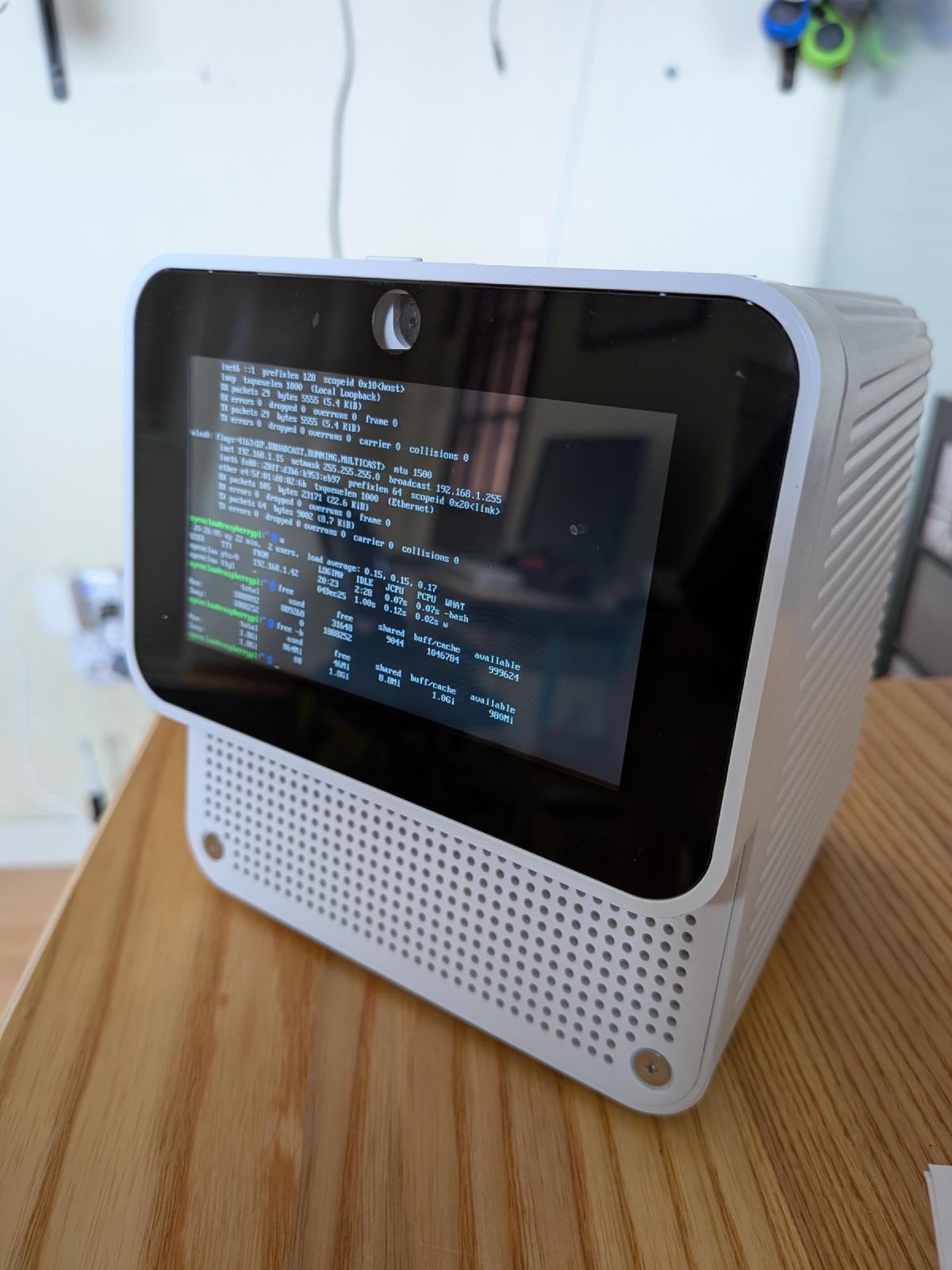
For this test, I’m using the Pi4 with 2GBs of RAM that’s living inside my Mycroft Mark II.
As usual, I installed the 64bit Lite version of Raspberry Pi OS and booted up the Pi.
Install OpenClaw #
This time, it looks like OpenClaw’s install docs have changed slightly. Now they have a one liner you can just copy-paste:
# Works everywhere. Installs everything. You're welcome. 🦞
curl -fsSL https://openclaw.ai/install.sh | bash
I pasted that into my terminal, and it seems to be working fine:
🦞 OpenClaw Installer
  Chat automation for people who peaked at IRC.

  ✓ Detected: linux

  Install plan
  OS: linux
  Install method: npm
  Requested version: latest

  [1/3] Preparing environment
  · Node.js not found, installing it now
  · Installing Node.js via NodeSource
  · Installing Linux build tools (make/g++/cmake/python3)
  ✓ Build tools installed
That took about 10 minutes to complete, but seems to have worked without issues. Memory usage was tight, but it didn’t need to dip in to swap, so that’s a win.
It automatically ran me through the setup process, which feels much more polished than the first time I tried this.
Once the setup was completed, it seem like there was an issue installing
after all. When I run openclaw I get the following error:
-bash: /home/openclaw/.npm-global/bin/openclaw: cannot execute binary file: Exec
format error
I’m guessing something to do with installing the wrong binary for this architecture. Going to reinstall node and OpenClaw manually to see if that fixes the issue.
Reinstalling OpenClaw did fix that particular issue, but then I started seeing all kinds of IO warnings on the linux console. After some investigation, it seems the USB thumb drive I was using was no longer behaving nominally. I had to toss it and start again.
I reinstalled the OS onto a new USB thumb drive and reinstalled OpenClaw.
This time I followed the Raspberry Pi specific install instructions located here.
Run OpenClaw #
After the installation, it walked me through the setup process, I pushed most configuration off to later so I wouldn’t run into any memory issues (2GB is still a bit tight) but configured the API key for Kimi and started the gateway.
After the gateway came up, I followed the instructions to get access to the web dashboard and started talking to my new bot.
Automations #
I setup the 3 automations I’ve been testing with:
- Check my blog for new posts
- Check your own health daily
- Check the weather and let me know if there’s anything I should be aware of
Once I confirmed those were working, I asked it to setup my discord
integration for me. It’s in the process of doing that right now. The 2GB Pi 4
still runs pretty slow, any openclaw commands take a while to complete. I’m not
running into any out of memory issues though and while it does look like we’ve
dipped into swap, it looks like it’s only needed to swap out about 7M of data.
Following the instructions for setting up the discord integration didn’t work this time around (it did the last time I set this up). When I gave OpenClaw my server id and user id and told it to complete the setup, it was unable to restart the gateway again.
Nothing of note in the logs.
After digging into this more, it seems like the systemd service didn’t have
access to my local environment variables, so I needed to add the
DISCORD_BOT_TOKEN to the systemd startup script for OpenClaw gateway. Not sure
why I didn’t need to do this last time, but OpenClaw configuration and setup
doesn’t seem to be very consistent.
Once that was sorted, the gateway started up again just fine, until I went to
update it to the latest version. I ran openclaw update and it threw an error
and told me that OpenClaw could no longer be found:
openclaw@raspberrypi:~ $ openclaw update
Updating OpenClaw...

│
◇  ✗ Updating via package manager (1201.05s)
│
◇  ✓ Running doctor checks (77.68s)

Update Result: ERROR
  Root: /home/openclaw/.npm-global/lib/node_modules/openclaw
  Reason: global update
  Before: 2026.4.9
  After: 2026.4.9

Total time: 1281.39s
openclaw@raspberrypi:~ $ openclaw update
-bash: /home/openclaw/.npm-global/bin/openclaw: No such file or directory
I didn’t spend any time debugging that, just reran the openclaw installer and waited for that to finish.
Reinstalling fixed the issue, and my OpenClaw setup was finally working.
I’ve been using it for the past week and it seems to be behaving fine. I just
ran an openclaw update again so we’ll see how that goes.
The update didn’t work, again. Same issue as before. I’m not going to bother reinstalling it as I’ll be migrating to my next test platform a Raspberry Pi 400 (same compute module as the Mycroft Mark II but with 4GB of RAM and a slightly higher clock speed)
Conclusions #
2GB of RAM is still pretty tight for running OpenClaw, I wouldn’t recommend it. Any of the smaller assistants I tested in my side quests should run great on this hardware however (picobot, picoclaw, etc) as they were already doing great on the 3b+.
Setup didn’t crash, but it did start swapping anytime I needed to install any
helpers or plugins and running any opeclaw command is really slow. Once you
have everything you need installed it works fine though, there’s no noticeable
delay when talking to the bot and the machine isn’t breathing hard under normal
day to day load.
Open Questions #
I’m not sure why but anytime I run openclaw doctor it asks me if I want to
install the bash autocompletions, even if I’ve already installed them.
Another mystery is that it seems to break anytime I try to update it with the
openclaw update commmand.
openclaw@raspberrypi:~ $ openclaw update
Updating OpenClaw...

│
◇  ✗ Updating via package manager (1200.61s)

Update Result: ERROR
  Root: /home/openclaw/.npm-global/lib/node_modules/openclaw
  Reason: global update
  Before: 2026.4.10

Total time: 1257.07s
openclaw@raspberrypi:~ $ openclaw
-bash: /home/openclaw/.npm-global/bin/openclaw: No such file or directory
And then I need to reinstall it from scratch. Maybe this is a side effect of installing it on a Raspberry Pi?
Next steps #
I still have a 4GB and an 8GB Rasperry Pi 4 lying around so I’ll give those a shot next.
-
Emphasis on the you already have, as Rasperry Pi prices are rising. ↩︎