
Introduction #
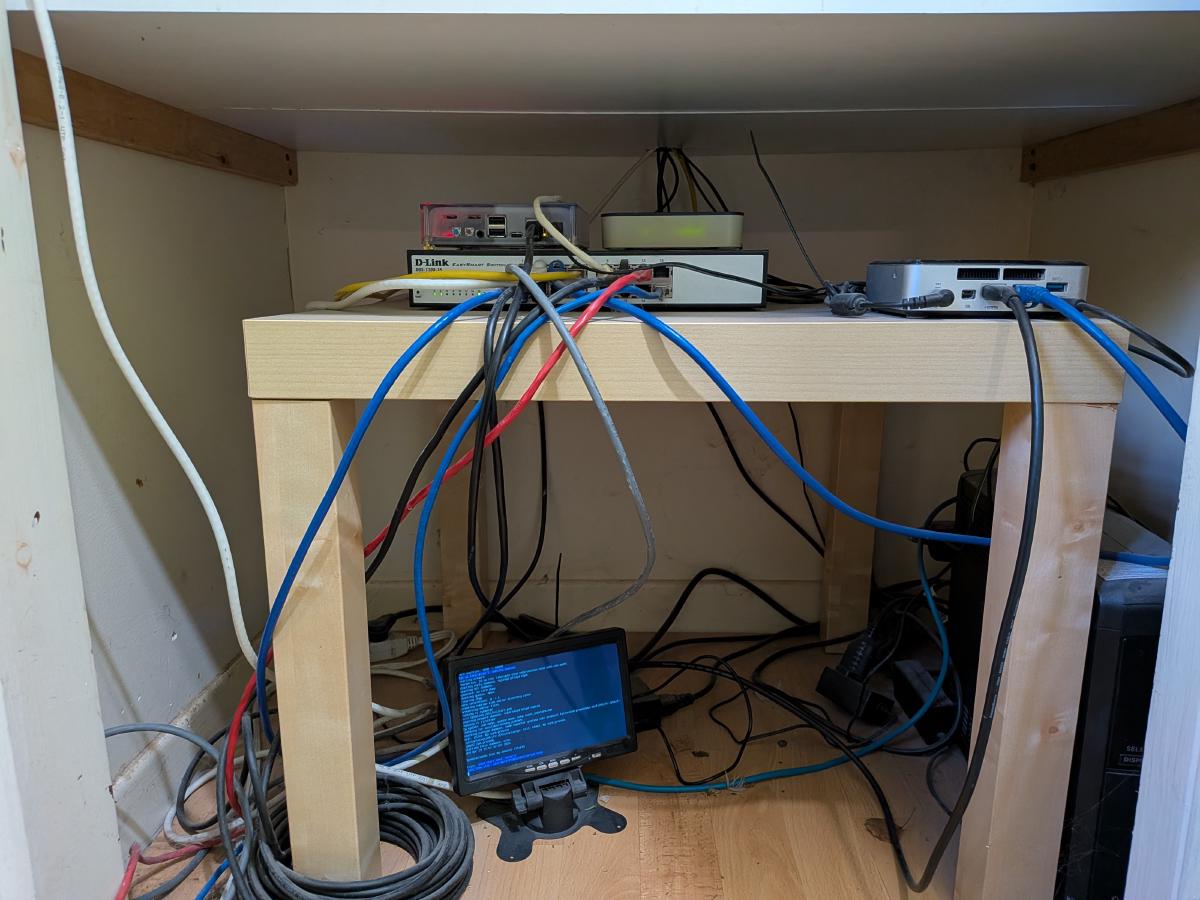
My home network is a bit of a mess. I’ve got multiple services running on multiple machines, and everything is IP addresses and ports. I don’t have any DNS resolution going on internally so I just keep a bunch of IP addresses in my head.
I’d like to clean that up so that I can have internal names for things so that instead of typing an IP address plus a port number, I can just type a name.
Currently, I have two main servers hosting internal applications.
192.168.1.10 - Intel NUC running OpenBSD #
My main home server is an Intel NUC running OpenBSD. It used to be my main desktop PC, but was repurposed as a home server many years ago. It’s running several services:
- grafana for dashboards on port 3000
- unifi network application on port 8080
- freshrss rss feed agregator on port 80
- llama.ccp web UI for local LLM models on port 8090
192.168.1.7 - XPS 13 running TrueNAS #
This is my JankyNAS an old laptop whose battery ballooned. Originally it was my daily driver but after the battery issue, I removed the battery and used the laptop to revive my long dead TrueNAS installation.
I’m currently running several docker containers here hosting the following services:
- Actual Budget for budgeting on port 31012
- Karakeep for hoarding bookmarks on port 30147
- Dawarich for location history (Google Timeline replacement) on port 30161
- Immich for photos (Google Photos replacement) on port 30041
- Jellyfin for local media (videos and music) streaming on port 8096
- Mealie for recipe management and meal planning on port 30111
It would be much easier to just type the name of the application instead of trying to remember the port, or relying on bookmarks to keep track of these. So instead of typing 192.168.1.7:31012 I could just type actual.lifewaza.com and let the computer handle the IP:port mapping for me.
TLS/HTTPS #
At first, I thought I’d just update my unbound.conf to map IPs to host names
(since I’m already running a local DNS resolver,
unbound) but then as I was
thinking about it I decided I also wanted a single place to terminate all my
TLS connections. Usually, when you run an app locally they aren’t setup to serve
TLS (https) out of the box. You generally have to deal with setting up
certificates and configuration on a per-service level. If I put a reverse proxy
in front of all my internal services then I could also have that reverse proxy
handle TLS for all my services in one place.
Remote work annoyance #
An issue I run into from time to time when I’m working remotely is that the IP range that the place I’m working from is the same as the IP range of my home network. This makes is so that I generally can’t reach the services running on my home network because the router of the place I’m working from thinks I’m trying to reach something local instead of an IP that’s exposed via my tailscale network. For this reason, I’d like to change my home network’s internal IP range from 192.168.1.xxx to something less common.
Tailscale #
Speaking of tailscale, I’m currently using tailscale’s subnet routers to expose IPs on my home network via tailscale, which is what causes the conflicts mentioned above since my current network address range 192.168.1.xxx is pretty common in the wild. If I implement the other improvements I think I can stop using subnet routers as I’ll no longer need direct access to 192.168.1.7 and can instead route all requests though my home server, where I plan to run a reverse proxy. Since that machine is already running tailscale, I should be able to access it directly over the tailscale network without needeing the subnet routers enabled.
Plan #
The current plan is:
- Put a reverse proxy in front of all my web services
- Setup split horizon DNS
- Setup automatic TLS
- Change internal network IP address range to something less common
- Disable tailscale subnet routers (shouldn’t be needed anymore)
- new Centralize logging
This series will be a log of how I move from where I’m currently at to where I’d like to get with my home network/lab environment.
I’ll add additional topics to this page as they come up.
The first step is setting up a reverse proxy and I’ve decided on using Caddy for this.
State diagrams #
Current state #
graph TD
    %% Base Theme Overrides for Consistency
    %% (Forces crisp white containers, matching gray borders, and distinct focus areas)
    classDef default fill:#ffffff,stroke:#cccccc,stroke-width:1px;
    classDef container fill:#ffffff,stroke:#333333,stroke-width:2px;
    classDef highlight fill:#ffcccb,stroke:#f00,stroke-width:2px;
    classDef remote fill:#f9f,stroke:#333,stroke-width:2px;

    subgraph Remote ["Remote Client (e.g., Coffee Shop)"]
        RC[Remote Laptop]
    end
    class Remote remote;

    subgraph Tailscale ["Tailscale Mesh Network"]
        TS_Subnet[Tailscale Subnet Router]
    end
    class TS_Subnet highlight;

    subgraph Local ["Home Network (Subnet: 192.168.1.xxx)"]
        Router[Home Router / Unbound DNS]

        subgraph Server1 ["Server 1 (192.168.1.10)"]
            G[Grafana :3000]
            U[UniFi Gateway :8080]
            F[FreshRSS :80]
            L[Llama.cpp Web UI :8090]
        end

        subgraph Server2 ["Server 2 (192.168.1.7)"]
            A[Actual Budget :31012]
            K[KaraKeep :30147]
            D[Dawarich :30161]
            I[Immich :30041]
			J[Jellyfin :8096]
			M[Mealie :30111]
        end
    end
    class Local container;

    %% Local Traffic
    Router -.->|No Internal DNS Resolution| Server1
    Router -.->|Direct IP + Port| Server2

    %% Remote Traffic via Tailscale Subnet
    RC ==>|Encrypted Tunnel| TS_Subnet
    TS_Subnet ==>|Exposes 192.168.1.xxx Subnet| Server1
    TS_Subnet ==>|Potential IP Conflict!| Server2
Desired state #
graph TD
    %% Base Theme Overrides for Consistency
    classDef default fill:#ffffff,stroke:#cccccc,stroke-width:1px;
    classDef container fill:#ffffff,stroke:#333333,stroke-width:2px;
    classDef highlight fill:#d4edda,stroke:#28a745,stroke-width:2px;
    classDef remote fill:#f9f,stroke:#333,stroke-width:2px;

    subgraph Remote ["Remote Client"]
        RC[Remote Laptop]
    end
    class Remote remote;

    subgraph Local ["Home Network (New Uncommon Subnet, e.g., 10.x.x.x)"]
        DNS[Unbound DNS
 Split Horizon: *.lifewaza.com]

        subgraph TargetServer ["Home Server (Running Tailscale Node)"]
            RP[Reverse Proxy
 TLS Termination / HTTPS]

            subgraph Services1 ["Internal Apps (Host 1)"]
                G[Grafana]
                U[UniFi Gateway]
                F[FreshRSS]
                L[Llama.cpp]
            end
        end

        subgraph Services2 ["Internal Apps (Host 2)"]
            A[Actual Budget]
            K[KaraKeep]
            D[Dawarich]
            I[Immich]
			J[Jellyfin]
			M[Mealie]
        end
    end
    class Local container;
    class RP highlight;

    %% Connections
    RC ==>|Direct Tailscale Connection| RP
    DNS -.->|Resolves *.lifewaza.com to Proxy| RP

    %% Proxy Routing to Host 1 (Stacked)
    RP -->|https://grafana...| G
    RP -->|https://unifi...| U
    RP -->|https://freshrss...| F
    RP -->|https://llama...| L

    %% Proxy Routing to Host 2 (Stacked)
    RP -->|https://actual...| A
    RP -->|https://karakeep...| K
    RP -->|https://dawarich...| D
    RP -->|https://immich...| I
    RP -->|https://jellyfin...| J
    RP -->|https://mealie...| M

    %% Invisible links to force vertical clustering instead of wide horizontal stretching
    G ~~~ U ~~~ F ~~~ L
    A ~~~ K ~~~ D ~~~ I ~~~ J ~~~ M
    Services1 ~~~ Services2
Reply by Email