
I’ve been wanting to run a local LLM on my home network for awhile but never got around to it. Most of my hardware is pretty old, but there are still some decent models out there that will run with limited resources.
My use cases for this model are:
-
Prototyping/testing - I’d like to have a model on-hand so I can easily plug into it when playing with LLMs.
-
Keeping data local - Something that I know 100% won’t be sending my data to a 3rd party.
-
Fallback for services when internet is down - As a backup for when larger/more powerful models aren’t available.
So, it doesn’t need to be the latest and greatest, it just needs to be decently capable, able to handle chats in a reasonable amount of time and return a response when I send it a message.
My beefiest home server is my Intel NUC running OpenBSD. That computer is over 10 years old, but does have 16GB of RAM and 2 cores at 1.3GHz. I should be able to run something small but useful w/out too much trouble.
Installation #
Llama.cpp is available on OpenBSD as a package, so installation is as easy as
calling pkg_add.
doas pkg_add llama.cpp
doas rcctl enable llama_server
doas rcctl start llama_server
Then confirming the web interface is up and running.
It wasn’t. There was a port conflict (8080) with my unifi gateway. I changed the port that llama_server wanted to run on by passing a parameter to the rc subsystem:
doas rcctl set llama_server flags "--port 8090"
doas rcctl start llama_server
This time it came up!
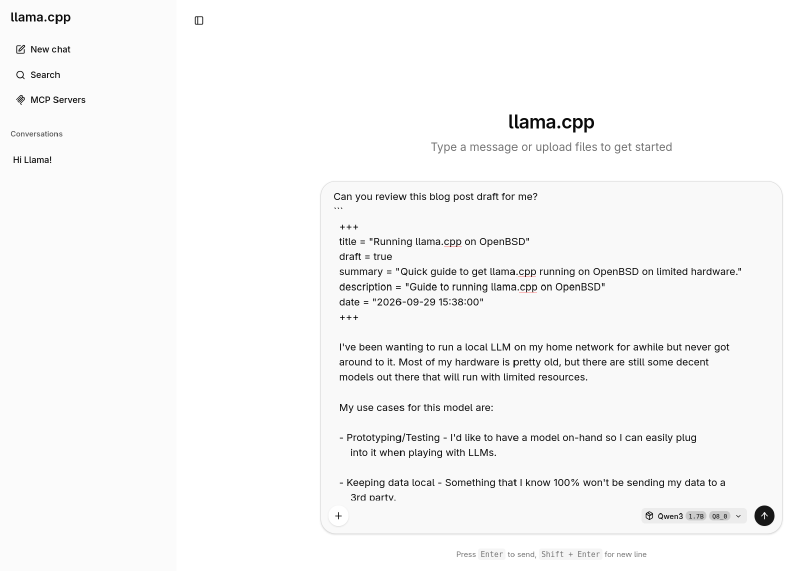
Next was to download and configure the models. I asked deepseek what models would run decently on this hardware and it suggested Qwen3-4B Q4_K_M and Qwen3-1.7B and gave me links for where to download those from Hugging Face.
I created a folder on my /shared drive (as it has plenty of free space), and
downloaded the two models there:
mkdir /shared/Models
cd /shared/Models
ftp https://huggingface.co/Qwen/Qwen3-4B-GGUF/resolve/main/Qwen3-4B-Q4_K_M.gguf
ftp https://huggingface.co/Qwen/Qwen3-1.7B-GGUF/resolve/main/Qwen3-1.7B-Q8_0.gguf
After that completed, I told llama_server to check that folder for models:
doas rcctl set llama_server flags "--port 8090 --models-dir /shared/Models --ctx-size 4096"Making sure to keep the --port 8090 configuration change I made before, and
adding --ctx-size 4096 to limit the context space for performance reasons.
I restarted the llama_server and everything just worked.
doas rcctl restart llama_serverI also added an entry to my local DNS and my Caddyfile so I can access the web ui at llama.lifewaza.com from my home network.
I’m seeing about 2 tokens per second on Qwen3-4B and 6 tokens per second on Qwen3-1.7B. That’s enough to satisfy my existing use cases.
Reply by Email