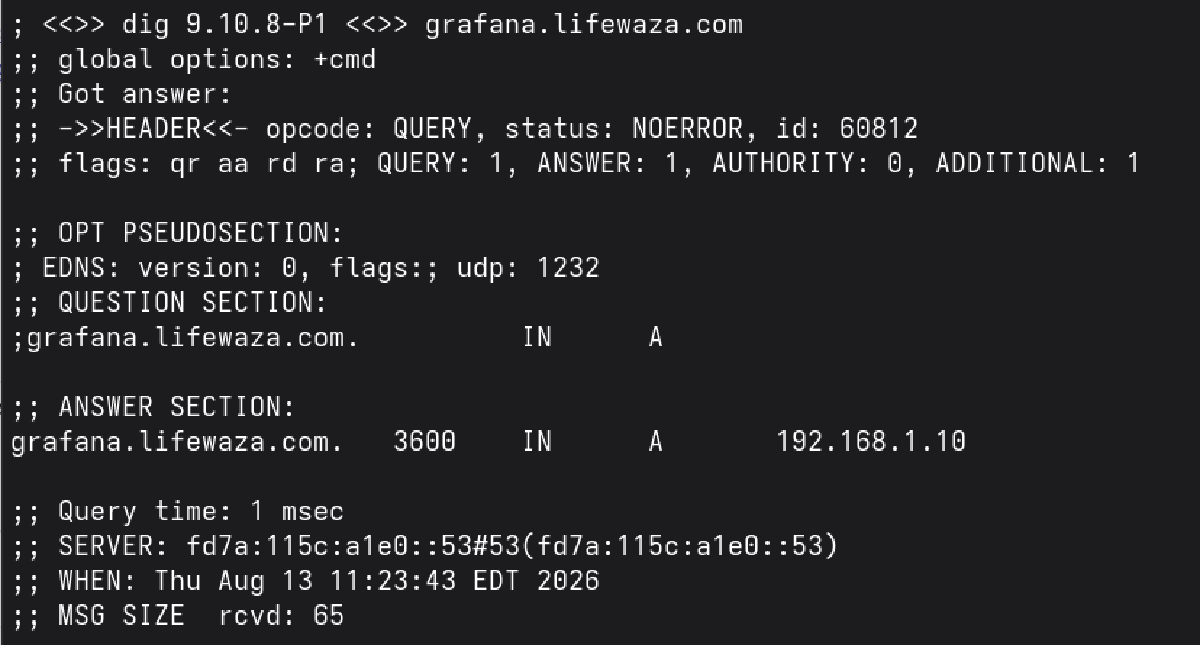

In the last article in this series, I got caddy up
and running and told it about all the services I wanted it to know about. Now I
need to setup the mapping between the names (grafana.lifewaza.com) and the IP
address where caddy is running (192.168.1.10).
Since I run a local DNS resolver
(unbound) I can just add
entries to it’s configuration file (/var/unbound/etc/unbound.conf) for each of
the services I want to name.
		# transparent local zone for lifewaza.com
        local-zone: "lifewaza.com" transparent
        local-data: "grafana.lifewaza.com. IN A 192.168.1.10"
        local-data: "actual.lifewaza.com. IN A 192.168.1.10"
        local-data: "freshrss.lifewaza.com. IN A 192.168.1.10"
        local-data: "karakeep.lifewaza.com. IN A 192.168.1.10"
        local-data: "dawarich.lifewaza.com. IN A 192.168.1.10"
        local-data: "immich.lifewaza.com. IN A 192.168.1.10"
        local-data: "unifi.lifewaza.com. IN A 192.168.1.10"
        local-data: "llama.lifewaza.com. IN A 192.168.1.10"
        local-data: "dozzle.lifewaza.com. IN A 192.168.1.10"
        local-data: "jellyfin.lifewaza.com. IN A 192.168.1.10"
        local-data: "mealie.lifewaza.com. IN A 192.168.1.10"
        local-data: "truenas.lifewaza.com. IN A 192.168.1.10"
From what I understand, this creates a local first zone for “lifewaza.com” (my domain) and tells unbound to resolve the specified names to their mapped addresses, but pass anything that’s not listed here in the lifewaza.com domain to the internet to get the real address for. This lets me have hosts on my internal network talk to these services locally, but anything not listed here, like www.lifewaza.com will get looked up normally.
The transparent directive is important as that’s what tells unbound to answer
for these names here, but any other names in the lifewaza.com domain should be
answered normally (i.e. by upstream DNS). From the unbound.conf man page:
transparent
    If there is a match from local-data, the query is answered.
    Otherwise if the query has a different name, the query is
    resolved normally.  If the query is for a name given in
    local-data but no such type of data is given in localdata,
    then a NOERROR NODATA answer is returned.  If no local-zone
    is given local-data causes a transparent zone to be created
    by default.
Once those changes were made, I restarted unbound:
rcctl restart unboundThen I validated that I could browse to grafana.lifewaza.com in a web browser. I could, though I got an error since the requests weren’t yet going to the right place.
I had set caddy up to listen on ports 10080 and 10443, however web requests go
to ports 80 and 443 by default and since I didn’t want to have to keep typing
port numbers into my urls, I needed any traffic destined for ports 80 or 443 to
be diverted to caddy on ports 10080 and 10443. Luckily
OpenBSD’s pf firewall makes this really easy:
# redirect web traffic to caddy
pass in on em0 proto tcp from any to any port www \
        divert-to 127.0.0.1 port 10080

pass in on em0 proto tcp from any to any port https \
        divert-to 127.0.0.1 port 10443

# redirect tailscale network traffic to caddy
pass in on tun0 proto tcp from any to any port www \
        divert-to 127.0.0.1 port 10080

pass in on tun0 proto tcp from any to any port https \
        divert-to 127.0.0.1 port 10443
This tells my homeserver’s firewall that any traffic destined for ports 80 or
443 on my primary network interface em0 should be diverted to caddy. While
here, I also setup the same divert-to for any web traffic coming in over my
tailscale network tun0. We’ll setup tailscale to
access these services remotely in a future post.
After adding those lines, I needed to reload my pf.conf.
When you change your pf.conf file it’s a good idea to validate that the
configuration file still parses before reloading it, as reloading a broken
pf.conf can lead to your firewall going down. In order to do that you use the
-n flag to pfctl` which tells it to just parse the rules w/out loading them.
pfctl -nf /etc/pf.conf
If that command returns without errors, you are safe to reload your pf.conf
doas pfctl -nf /etc/pf.conf
doas pfctl -f /etc/pf.conf
For reference, here is the full pf.conf for my homeserver:
$ doas cat /etc/pf.conf
#       $OpenBSD: pf.conf,v 1.55 2017/12/03 20:40:04 sthen Exp $
#
# See pf.conf(5) and /etc/examples/pf.conf

set skip on lo

block return    # block stateless traffic
pass            # establish keep-state

# redirect web traffic to caddy
pass in on em0 proto tcp from any to any port www \
        divert-to 127.0.0.1 port 10080

pass in on em0 proto tcp from any to any port https \
        divert-to 127.0.0.1 port 10443

# redirect tailscale network traffic to caddy
pass in on tun0 proto tcp from any to any port www \
        divert-to 127.0.0.1 port 10080

pass in on tun0 proto tcp from any to any port https \
        divert-to 127.0.0.1 port 10443

# By default, do not permit remote connections to X11
block return in on ! lo0 proto tcp to port 6000:6010

# Port build user does not need network
block return out log proto {tcp udp} user _pbuild
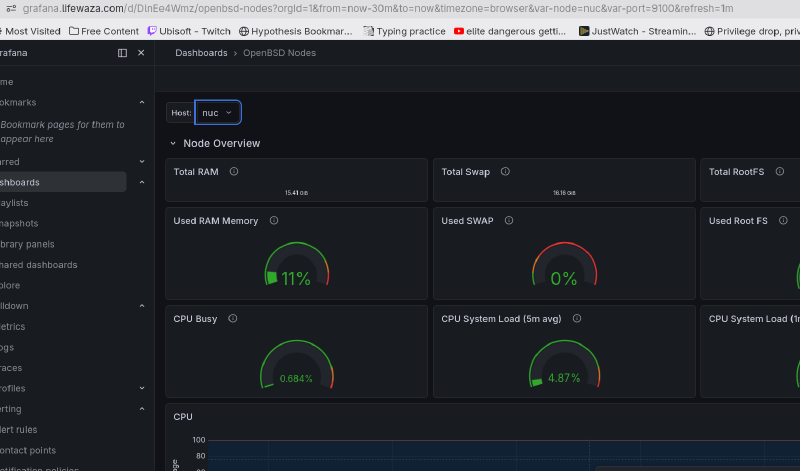
After that restart, I could finally browse to grafana.lifewaza.com and have my grafana instance load in my browser1!
-
Though, it was still complaining about TLS. ↩︎